前言#
上一篇说到要做到服务的灵活伸缩需要有一种机制来实现,这个机制就是服务注册与发现。这并不是必须的,如果服务实例很少并且很稳定,就没有必要使用。
概念#
- 服务注册:简单理解就是有一个注册中心,每个服务实例启动时都去注册中心注册,告诉注册中心地址,端口等信息。同样删除时,也需要去注册中心删除,注册中心负责维护这些服务实例的信息
- 服务发现:既然注册中心维护了各个服务实例的信息,那么客户端通过注册中心就很容易能发现服务的变化。有了服务注册与发现,客户端就不用再去配置各个服务实例的地址,改为从注册中心统一获取
- 健康检查:注册中心要保证每个地址的可用状态,挂掉的实例不应该被客户端获取到,所以需要:健康检查。每个服务都需要提供一个用于健康检查的接口,这个接口不具备任何业务功能。服务注册时把这个接口的地址也告诉注册中心,注册中心会定时调用这个接口来检测服务是否正常,如果不正常,则将它移除,这样来保证了服务的可用性
常见注册中心有 Consul、ZooKeeper、etcd、Eureka。
Consul#
Consul官网:https://www.consul.io,主要功能有服务注册与发现、健康检查、K-V存储、多数据中心等,这里不做详细介绍。
- 安装:直接在官网下载解压即可
- 运行:在
consul.exe目录下打开命令行执行consul.exe agent -dev - 浏览器访问:http://localhost:8500
这里选择使用Docker来部署Consul:
docker pull consul docker run -d -p 8500:8500 --restart=always --name=consul consul:latest agent -server -bootstrap -ui -node=1 -client='0.0.0.0'agent: 表示启动 Agent 进程server:表示启动 Consul Server 模式client:表示启动 Consul Cilent 模式bootstrap:表示这个节点是 Server-Leader ,每个数据中心只能运行一台服务器。技术角度上来看 Leader 是通过 Raft 算法选举的,但是集群第一次启动时需要一个引导 Leader,在引导群集后,建议不要使用此标志ui:表示启动 Web UI 管理器,默认开放端口8500,所以上面使用 Docker 命令把8500端口对外开放node:节点的名称,集群中必须是唯一的,默认是该节点的主机名client:Consul服务监听地址,这提供HTTP、DNS、RPC等服务,默认是127.0.0.1所以不对外提供服务,如果要对外提供服务改成0.0.0.0join:表示加入到某一个集群中。 如:-json=192.168.0.11
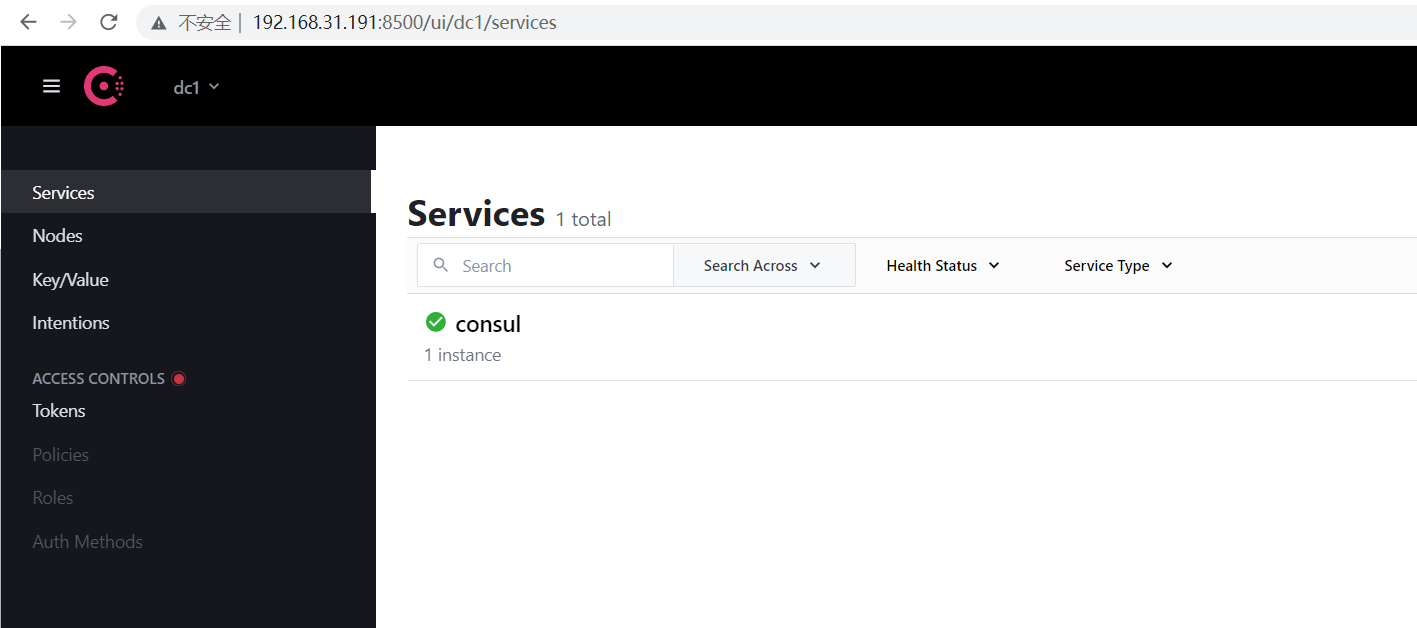
这里看到Consul已经成功运行。
服务注册#
订单服务项目使用Nuget 安装 Consul,然后添加相关代码:
ConsulHelper.cs:
public static class ConsulHelper
{
    /// <summary>
    /// 服务注册
    /// </summary>
    /// <param name="app">The application.</param>
    /// <param name="configuration">The configuration.</param>
    /// <param name="lifetime">The lifetime.</param>
    /// <returns></returns>
    public static IApplicationBuilder RegisterConsul(this IApplicationBuilder app
        , IConfiguration configuration
        , IHostApplicationLifetime lifetime)
    {
        var consulClient = new ConsulClient(c =>
        {
            c.Address = new Uri(configuration["ConsulSetting:ConsulAddress"]);
        });

        var registration = new AgentServiceRegistration()
        {
            // 服务实例唯一标识
            ID = Guid.NewGuid().ToString(),
            // 服务名称
            Name = configuration["ConsulSetting:ServiceName"],
            // 服务IP地址
            Address = configuration["ConsulSetting:ServiceIP"],
            // 服务端口:因为要运行多个实例,端口不能在appsettings.json里配置而是在docker容器运行时传入
            Port = int.Parse(configuration["ConsulSetting:ServicePort"]),
            Check = new AgentServiceCheck()
            {
                // 服务启动多久后注册
                DeregisterCriticalServiceAfter = TimeSpan.FromSeconds(3),
                // 健康检查时间间隔
                Interval = TimeSpan.FromSeconds(10),
                // 健康检查地址
                HTTP = $"http://{configuration["ConsulSetting:ServiceIP"]}:{configuration["ConsulSetting:ServicePort"]}{configuration["ConsulSetting:ServiceHealthCheck"]}",
                // 超时时间
                Timeout = TimeSpan.FromSeconds(5)
            }
        };

        // 服务注册
        consulClient.Agent.ServiceRegister(registration).Wait();

        // 应用程序终止时,取消注册
        lifetime.ApplicationStopping.Register(() =>
        {
            consulClient.Agent.ServiceDeregister(registration.ID).Wait();
        });
        return app;
    }
}
appsettings.json:
{
  "Logging": {
    "LogLevel": {
      "Default": "Information",
      "Microsoft": "Warning",
      "Microsoft.Hosting.Lifetime": "Information"
    }
  },
  "AllowedHosts": "*",
  "ConsulSetting": {
    "ServiceName": "order.service",
    "ServiceIP": "192.168.31.191",
    "ServiceHealthCheck": "/healthcheck",
    "ConsulAddress": "http://192.168.31.191:8500"
  }
}
注意:这里没有配置ServicePort,所以如果本地直接运行项目会报错
Startup.cs:
public void Configure(IApplicationBuilder app, IWebHostEnvironment env, IHostApplicationLifetime lifetime)
{
    if (env.IsDevelopment())
    { }
    else
    { }

    app.UseStaticFiles();

    app.UseRouting();
    app.UseEndpoints(endpoints =>
    {
        endpoints.MapControllers();
    });

    // 启用服务注册
    app.RegisterConsul(Configuration, lifetime);
}
OrdersController.cs:
[Route("[Controller]")]
[ApiController]
public class OrdersController : ControllerBase
{
    private readonly IConfiguration configuration;

    public OrdersController(IConfiguration configuration)
    {
        this.configuration = configuration;
    }

    [HttpGet]
    public IActionResult Index()
    {
        string result = $"订单服务:{DateTime.Now:yyyy-MM-dd HH:mm:ss},-{Request.HttpContext.Connection.LocalIpAddress}:{configuration["ConsulSetting:ServicePort"]}";
        return Ok(result);
    }
}
HealthCheckController.cs:
[Route("[controller]")]
[ApiController]
public class HealthCheckController : ControllerBase
{
    /// <summary>
    /// 健康检查接口
    /// </summary>
    /// <returns></returns>
    [HttpGet]
    public IActionResult Get()
    {
        return Ok("Pong.");
    }
}
至此就完成了服务注册、取消注册、健康检查的代码编写,下面重新 build 镜像(过程略过)运行新的容器:
[root@centos-01 order.api.release]# docker run -d --name order.api -p 80:80 order.api  --ConsulSetting:ServicePort="80"
89acc7d7035f2041a91bc1e1299464a5460290dd66b12161ee4e994d5548def2
[root@centos-01 order.api.release]# docker run -d --name order.api1 -p 81:80 order.api --ConsulSetting:ServicePort="81"
223be73a41e501e168fdc44459cd6f5851d565e60817dbd0047dff7718394e22
[root@centos-01 order.api.release]# docker run -d --name order.api2 -p 82:80 order.api --ConsulSetting:ServicePort="82"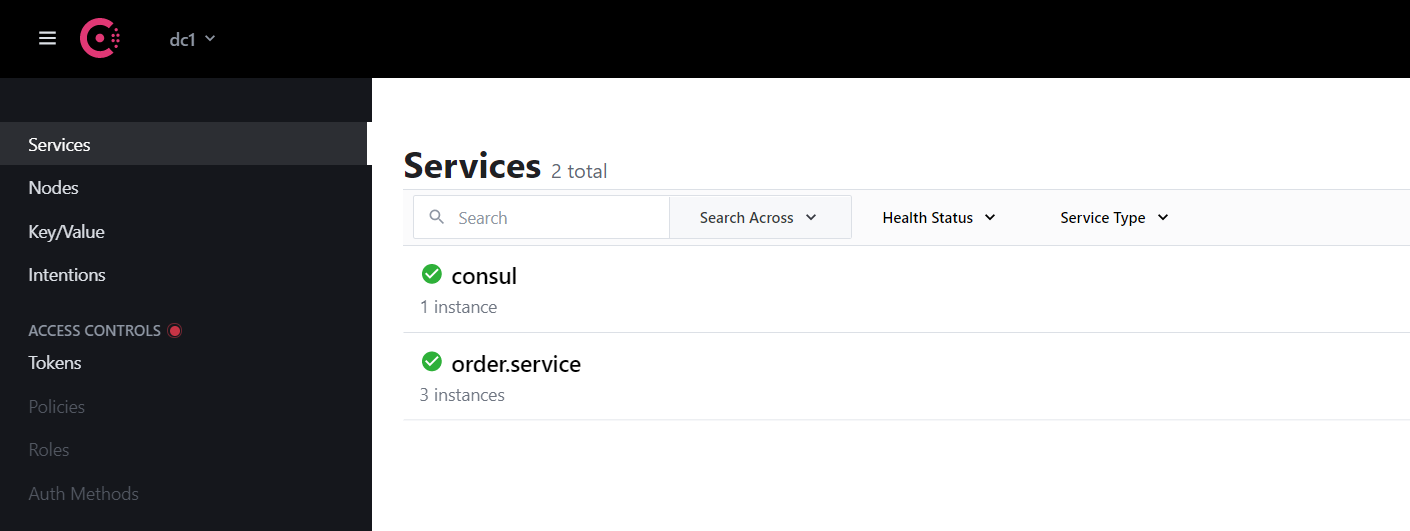
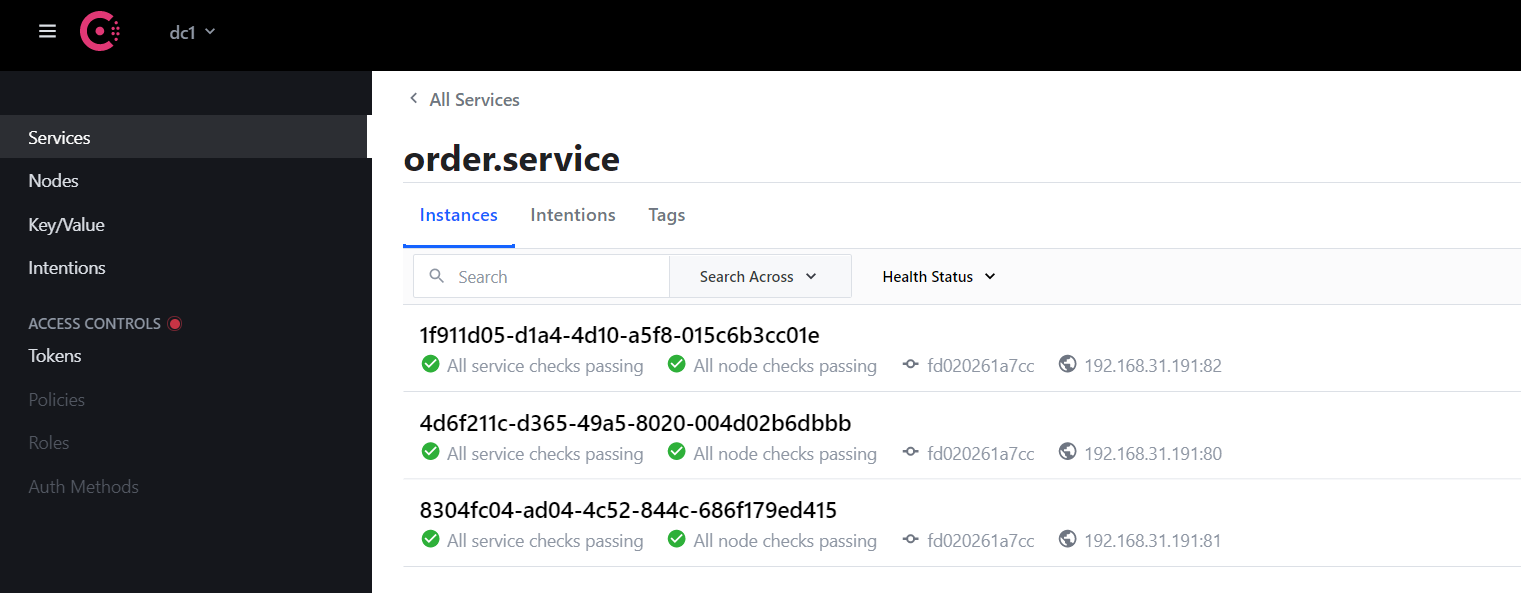
至此,3个服务实例都已运行,并且成功注册到 Consul。测试一下服务停止会不会从Consul移除:
[root@centos-01 order.api.release]# docker stop order.api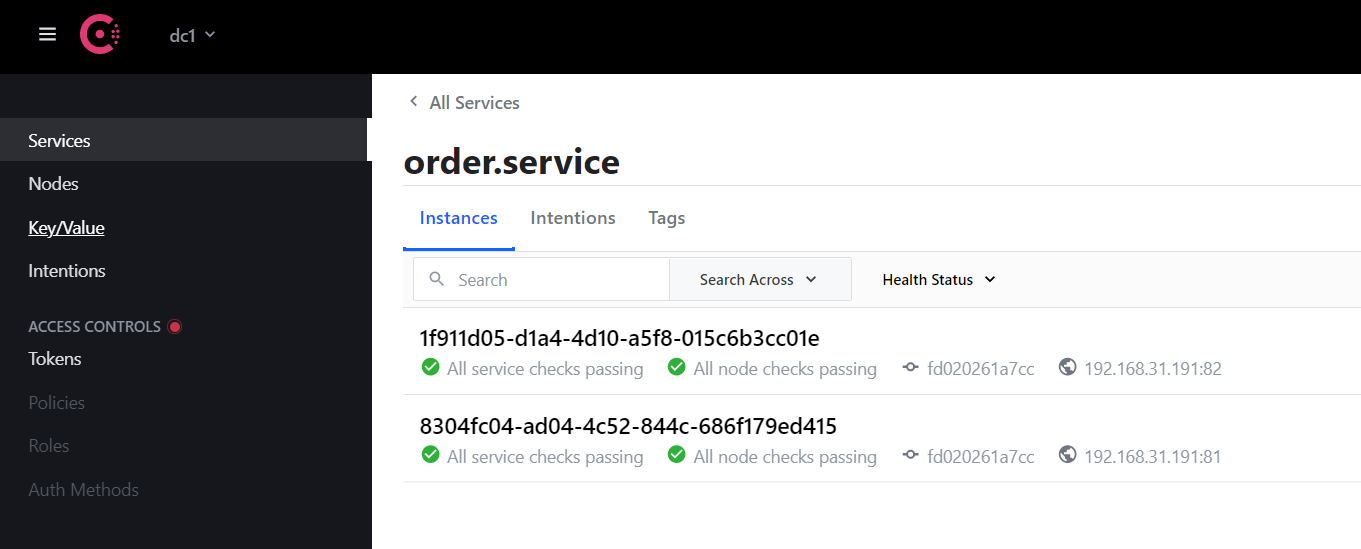
这里需要注意:程序发生异常,健康检查不能正确响应的话,Consul也会移除。至此注册、发现、健康检查功能都完成了,下一步考虑客户端如何拿到这些服务实例的地址。
客户端#
上面已经成功将服务注册到 Consul中,接下来就该客户端通过 Consul 去做服务发现了。客户端项目同样使用Nuget 安装 Consul,然后调整相关代码:
ServiceHelper.cs:
using Consul;

using Microsoft.Extensions.Configuration;

using RestSharp;

using System;
using System.Collections.Concurrent;
using System.Linq;
using System.Threading.Tasks;

namespace Web.Client
{
    public interface IServiceHelper
    {
        Task<string> GetOrder();
    }

    public class ServiceHelper : IServiceHelper
    {
        private readonly IConfiguration configuration;

        public ServiceHelper(IConfiguration configuration)
        {
            this.configuration = configuration;
        }

        public async Task<string> GetOrder()
        {
            var consulClient = new ConsulClient(c =>
            {
                c.Address = new Uri(configuration["ConsulSetting:ConsulAddress"]);
            });

            // 获取健康的服务
            var services = consulClient.Health.Service("order.service", null, true, null).Result.Response;
            // 获取订单服务地址列表
            string[] serviceUrls = services.Select(p => $"http://{p.Service.Address + ":" + p.Service.Port}").ToArray();

            if (!serviceUrls.Any())
            {
                return await Task.FromResult("【订单服务】服务列表为空");
            }

            // 每次随机访问一个服务实例
            var client = new RestClient(serviceUrls[new Random().Next(0, serviceUrls.Length)]);
            var request = new RestRequest("/orders", Method.GET);

            var response = await client.ExecuteAsync(request);
            return response.Content;
        }
    }
}
appsettings.json:
{
  "Logging": {
    "LogLevel": {
      "Default": "Information",
      "Microsoft": "Warning",
      "Microsoft.Hosting.Lifetime": "Information"
    }
  },
  "AllowedHosts": "*",
  "ConsulSetting": {
    "ConsulAddress": "http://192.168.31.191:8500"
  }
}
以上代码就完成了对服务列表的获取,浏览器访问测试一下:
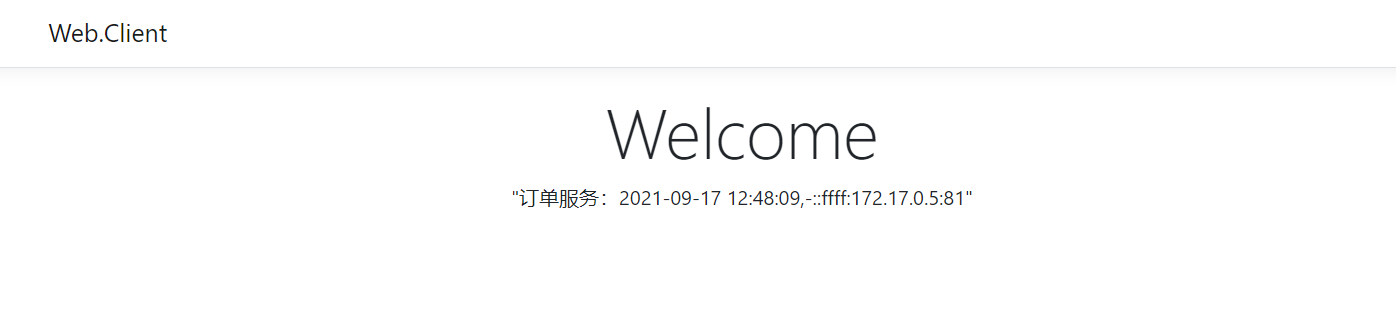
这时候如果停止其中一个服务实例,Consul中也会同步下线,客户端也就访问不到了,但是只要三个实例活着一个就可以正常访问。虽然这里解决了服务发现的问题,但是新的问题又来了:客户端每次调用服务都需要先去Consul中获取服务地址,不仅浪费资源还增加了请求的响应时间。如何保证不要每次请求都需要去Consul 获取地址的同时又可以拿到可用的地址列表呢?Consul 提供的解决方案是:Blocking Queries (阻塞的请求)。详情见官网:Blocking Queries 。
Blocking Queries#
简单来说就是当客户端请求 Consul 获取地址列表时,需要携带一个版本号信息,Consul 会比较这个客户端版本号是否和 Consul 服务端的版本号一致,如果一致,则 Consul 会阻塞这个请求,直到 Consul 中的服务列表发生变化,或者到达阻塞时间上限;如果版本号不一致,则立即返回。这个阻塞时间默认是5分钟,支持自定义。如果启动一个线程专门去做这件事,就不会影响每次的用户请求了。这样既保证了客户端服务列表的准确性,又节约了客户端请求服务列表的次数。
调整代码:
IServiceHelper.cs 增加获取服务列表的接口方法:
using Consul;

using Microsoft.Extensions.Configuration;

using RestSharp;

using System;
using System.Collections.Concurrent;
using System.Linq;
using System.Threading.Tasks;

namespace Web.Client
{
    public interface IServiceHelper
    {
        Task<string> GetOrder();

        void GetServices();
    }

    public class ServiceHelper : IServiceHelper
    {
        private readonly IConfiguration configuration;
        private readonly ConsulClient consulClient;
        private ConcurrentBag<string> orderServiceUrls;

        public ServiceHelper(IConfiguration configuration)
        {
            this.configuration = configuration;
            this.consulClient = new ConsulClient(c =>
            {
                c.Address = new Uri(configuration["ConsulSetting:ConsulAddress"]);
            });
        }

        public async Task<string> GetOrder()
        {
            if (orderServiceUrls == null)
                return await Task.FromResult("【订单服务】初始化服务列表...");

            var client = new RestClient(orderServiceUrls.ElementAt(new Random().Next(0, orderServiceUrls.Count())));
            var request = new RestRequest("/orders", Method.GET);

            var response = await client.ExecuteAsync(request);
            return response.Content;
        }

        public void GetServices()
        {
            var serviceNames = new string[] { "order.service" };
            Array.ForEach(serviceNames, p =>
            {
                Task.Run(() =>
                {
                    // WaitTime默认为5分钟
                    var queryOptions = new QueryOptions { WaitTime = TimeSpan.FromMinutes(10) };
                    while (true)
                    {
                        GetServices(queryOptions, p);
                    }
                });
            });
        }
        private void GetServices(QueryOptions queryOptions, string serviceName)
        {
            var res = consulClient.Health.Service(serviceName, null, true, queryOptions).Result;

            // 打印服务列表的响应时间等信息
            Console.WriteLine($"{DateTime.Now}获取{serviceName}:queryOptions.WaitIndex:{queryOptions.WaitIndex}  LastIndex:{res.LastIndex}");

            // 版本号不一致 说明服务列表发生变化
            if (queryOptions.WaitIndex != res.LastIndex)
            {
                queryOptions.WaitIndex = res.LastIndex;

                //服务地址列表
                var serviceUrls = res.Response.Select(p => $"http://{p.Service.Address + ":" + p.Service.Port}").ToArray();

                if (serviceName == "order.service")
                    orderServiceUrls = new ConcurrentBag<string>(serviceUrls);
            }
        }
    }
}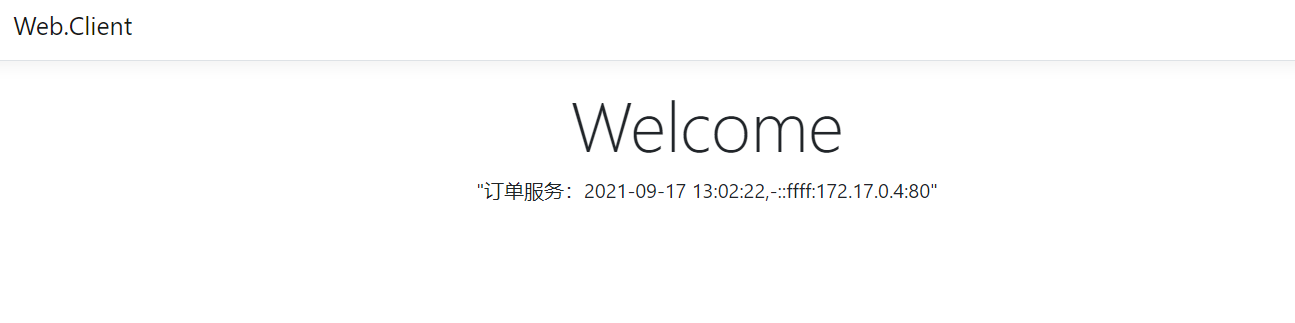
至此不需要每次都先请求服务列表,如果服务列表没有更新的话,获取列表的请求会一直阻塞直到设置的10分钟。这时候又发现新的问题:
- 每个客户端系统都去维护服务地址是否合理
- 服务的IP端口直接暴露给所有客户端是否安全
- 该模式下怎么做到客户端的统一管理