仓库是集中存放镜像的地方。注册服务器是管理仓库的具体服务器,每个服务器上可以有多个仓库,每个仓库下面有多个镜像。
Docker Hub#
Docker 官方维护了一个公共仓库 Docker Hub,其中已经包括了数量超过 15,000 的镜像。大部分需求都可以通过在 Docker Hub 中直接下载镜像来实现。
注册#
在 Docker Hub 免费注册一个 Docker 账号。
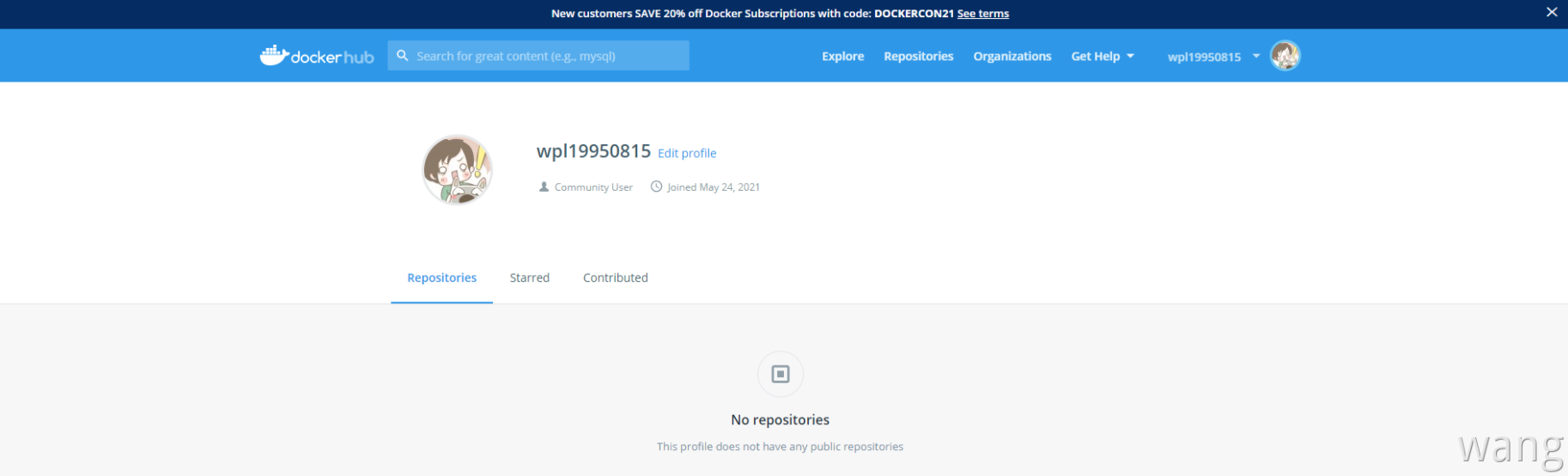
登录#
通过执行 docker login 命令交互式的输入用户名及密码来完成在命令行界面登录 Docker Hub,通过 docker logout 退出登录。
拉取镜像#
通过 docker search 命令查找官方仓库中的镜像,并利用 docker pull 命令来下载到本地,以 centos 为关键词为例
[root@wangpengliang ~]# docker search centos
NAME                               DESCRIPTION                                     STARS     OFFICIAL   AUTOMATED
centos                             The official build of CentOS.                   6582      [OK]
ansible/centos7-ansible            Ansible on Centos7                              134                  [OK]
consol/centos-xfce-vnc             Centos container with "headless" VNC session…   129                  [OK]
jdeathe/centos-ssh                 OpenSSH / Supervisor / EPEL/IUS/SCL Repos - …   118                  [OK]
centos/systemd                     systemd enabled base container.                 99                   [OK]
imagine10255/centos6-lnmp-php56    centos6-lnmp-php56                              58                   [OK]
tutum/centos                       Simple CentOS docker image with SSH access      48
kinogmt/centos-ssh                 CentOS with SSH                                 29                   [OK]
pivotaldata/centos-gpdb-dev        CentOS image for GPDB development. Tag names…   13
guyton/centos6                     From official centos6 container with full up…   10                   [OK]
centos/tools                       Docker image that has systems administration…   7                    [OK]
drecom/centos-ruby                 centos ruby                                     6                    [OK]
pivotaldata/centos                 Base centos, freshened up a little with a Do…   5
mamohr/centos-java                 Oracle Java 8 Docker image based on Centos 7    3                    [OK]
pivotaldata/centos-gcc-toolchain   CentOS with a toolchain, but unaffiliated wi…   3
darksheer/centos                   Base Centos Image -- Updated hourly             3                    [OK]
pivotaldata/centos-mingw           Using the mingw toolchain to cross-compile t…   3
dokken/centos-7                    CentOS 7 image for kitchen-dokken               2
indigo/centos-maven                Vanilla CentOS 7 with Oracle Java Developmen…   2                    [OK]
amd64/centos                       The official build of CentOS.                   2
pivotaldata/centos6.8-dev          CentosOS 6.8 image for GPDB development         1
mcnaughton/centos-base             centos base image                               1                    [OK]
blacklabelops/centos               CentOS Base Image! Built and Updates Daily!     1                    [OK]
pivotaldata/centos7-dev            CentosOS 7 image for GPDB development           0
smartentry/centos                  centos with smartentry                          0                    [OK]
看到返回了很多包含关键字的镜像,其中包括镜像名字、描述、收藏数(表示该镜像的受关注程度)、是否官方创建(OFFICIAL)、是否自动构建。
根据是否是官方提供,可将镜像分为两类:
- 类似
centos这样的镜像,被称为基础镜像或根镜像。这些基础镜像由 Docker 公司创建、验证、支持、提供。这样的镜像往往使用单个单词作为名字。 - 还有一种类型,比如
tianon/centos镜像,它是由 Docker Hub 的注册用户创建并维护的,往往带有用户名称前缀。可以通过前缀username/来指定使用某个用户提供的镜像,比如 tianon 用户
在查找的时候通过
--filter=stars=N参数可以指定仅显示收藏数量为 N 以上的镜像
下载镜像#
[root@wangpengliang ~]# docker pull centos
Using default tag: latest
latest: Pulling from library/centos
7a0437f04f83: Pull complete
Digest: sha256:5528e8b1b1719d34604c87e11dcd1c0a20bedf46e83b5632cdeac91b8c04efc1
Status: Downloaded newer image for centos:latest
docker.io/library/centos:latest推送镜像#
可以在登录后通过 docker push 命令来将自己的镜像推送到 Docker Hub
以下命令中的 username 替换为你的 Docker 账号用户名
[root@wangpengliang ~]# docker image ls
REPOSITORY    TAG       IMAGE ID       CREATED        SIZE
nginx         2.0       546ad28bcf61   3 days ago     133MB
redis         6.2.4     fad0ee7e917a   6 days ago     105MB
redis         latest    fad0ee7e917a   6 days ago     105MB
ubuntu        latest    7e0aa2d69a15   6 weeks ago    72.7MB
hello-world   latest    d1165f221234   3 months ago   13.3kB
centos        latest    300e315adb2f   6 months ago   209MB

[root@wangpengliang ~]# docker login
Login with your Docker ID to push and pull images from Docker Hub. If you dont have a Docker ID, head over to https://hub.docker.com to create one
Username: wangpengliang
Password:
WARNING! Your password will be stored unencrypted in /root/.docker/config.json.
Configure a credential helper to remove this warning. See
https://docs.docker.com/engine/reference/commandline/login/#credentials-store
Login Succeeded

[root@wangpengliang ~]# docker tag nginx:2.0 wangpengliang/nginx:mytest

[root@wangpengliang ~]# docker image ls
REPOSITORY            TAG       IMAGE ID       CREATED        SIZE
nginx                 2.0       546ad28bcf61   3 days ago     133MB
wangpengliang/nginx   mytest    546ad28bcf61   3 days ago     133MB
redis                 6.2.4     fad0ee7e917a   6 days ago     105MB
redis                 latest    fad0ee7e917a   6 days ago     105MB
ubuntu                latest    7e0aa2d69a15   6 weeks ago    72.7MB
hello-world           latest    d1165f221234   3 months ago   13.3kB
centos                latest    300e315adb2f   6 months ago   209MB

[root@wangpengliang ~]# docker push wangpengliang/nginx:mytest
The push refers to repository [docker.io/wangpengliang/nginx]
8be9905423d3: Pushed
075508cf8f04: Mounted from library/nginx
5c865c78bc96: Mounted from library/nginx
134e19b2fac5: Mounted from library/nginx
83634f76e732: Mounted from library/nginx
766fe2c3fc08: Mounted from library/nginx
02c055ef67f5: Mounted from library/nginx
mytest: digest: sha256:05cb206e7659009b6cfe41d4891078aecf1656e527c5a075af609b9cfcad74df size: 1778
自动构建#
有时候构建了镜像,安装了某个软件,当软件发布新版本则需要手动更新镜像。而自动构建允许通过 Docker Hub 指定跟踪一个目标网站(支持 GitHub 或 BitBucket)上的项目,一旦项目发生新的提交 (commit)或者创建了新的标签(tag),Docker Hub 会自动构建镜像并推送到 Docker Hub 中。自动构建(Automated Builds)功能对于需要经常升级镜像内程序来说十分方便。
要配置自动构建,包括如下步骤
- 登录 Docker Hub
- 在 Docker Hub 点击右上角头像,在账号设置(Account Settings)中关联(Linked Accounts)目标网站
- 在 Docker Hub 中新建或选择已有的仓库,在 Builds 选项卡中选择 Configure Automated Builds
- 选取一个目标网站中的项目(需要含 Dockerfile)和分支
- 指定 Dockerfile 的位置并保存之后,可以在 Docker Hub 的仓库页面的 Timeline 选项卡中查看每次构建的状态
私有仓库#
创建Docker私有仓库的目的在于私密性,适用于团体内部,如公司部门,企业内部等需要在团体成员中共享Docker相关资源的场景。docker-registry 是官方提供的工具,可以用于构建私有的镜像仓库。
下载镜像#
[root@centos-01 ~]# docker pull registry
Using default tag: latest
latest: Pulling from library/registry
ddad3d7c1e96: Pull complete
6eda6749503f: Pull complete
363ab70c2143: Pull complete
5b94580856e6: Pull complete
12008541203a: Pull complete
Digest: sha256:bac2d7050dc4826516650267fe7dc6627e9e11ad653daca0641437abdf18df27
Status: Downloaded newer image for registry:latest
docker.io/library/registry:latest启动容器并开放端口#
[root@centos-01 ~]# docker run -d -p 5000:5000 --restart=always --name registry registry
63411fb8a1475200da83a72aed4c584d329f2d02a6d473a09a00be06cce189a2
这里使用官方的 registry 镜像来启动私有仓库。默认情况下,仓库会被创建在容器的 /var/lib/registry 目录下:
[root@centos-01 ~]# docker run -d -p 5000:5000 --restart=always --name registry registry
63411fb8a1475200da83a72aed4c584d329f2d02a6d473a09a00be06cce189a2
[root@centos-01 ~]# ls
anaconda-ks.cfg
[root@centos-01 ~]# cd /
[root@centos-01 /]# ls
bin  boot  dev  etc  home  lib  lib64  media  mnt  opt  proc  root  run  sbin  srv  sys  tmp  usr  var
[root@centos-01 /]# docker ps -a
CONTAINER ID   IMAGE      COMMAND                  CREATED              STATUS              PORTS                                       NAMES
63411fb8a147   registry   "/entrypoint.sh /etc…"   About a minute ago   Up About a minute   0.0.0.0:5000->5000/tcp, :::5000->5000/tcp   registry

[root@centos-01 /]# docker exec -it 63411fb8a147 /bin/sh
/ # ls
bin            entrypoint.sh  home           media          opt            root           sbin           sys            usr
dev            etc            lib            mnt            proc           run            srv            tmp            var
/ # cd /var/lib/registry/
/var/lib/registry # ls
可以通过 -v 参数将镜像文件存储在本地的指定路径。例如下面的例子将上传的镜像放到本地的 /opt/data/registry 目录:
$ docker run -d \
    -p 5000:5000 \
    -v /opt/data/registry:/var/lib/registry \
registry上传/搜索/下载镜像#
创建好私有仓库后,就可以使用 docker tag 来标记一个镜像,然后推送到仓库。这里私有仓库地址为 192.168.31.32:5000 ,查看本机已有镜像:
[root@centos-01 /]# docker image ls
REPOSITORY   TAG       IMAGE ID       CREATED       SIZE
nginx        latest    d1a364dc548d   2 weeks ago   133MB
registry     latest    1fd8e1b0bb7e   8 weeks ago   26.2MB
使用 docker tag 将 nginx:latest 这个镜像标记为 192.168.31.32:5000/nginx:latest,格式为 :
docker tag IMAGE[:TAG] [REGISTRY_HOST[:REGISTRY_PORT]/]REPOSITORY[:TAG][root@centos-01 /]# docker tag nginx:latest 192.168.31.32:5000/nginx:latest
[root@centos-01 /]# docker image ls
REPOSITORY TAG IMAGE ID CREATED SIZE
192.168.31.32:5000/nginx latest d1a364dc548d 2 weeks ago 133MB
nginx latest d1a364dc548d 2 weeks ago 133MB
registry latest 1fd8e1b0bb7e 8 weeks ago 26.2MB使用 docker push 上传标记的镜像:
[root@centos-01 /]# docker push 192.168.31.32:5000/nginx
Using default tag: latest
The push refers to repository [192.168.31.32:5000/nginx]
Get https://192.168.31.32:5000/v2/: http: server gave HTTP response to HTTPS client
这里发现无法成功推送镜像,原因是因为:Docker 默认不允许以非 HTTPS 方式推送镜像。可以通过 Docker 的配置选项来取消这个限制。对于使用 systemd 的系统,请在 /etc/docker/daemon.json 中写入如下内容(如果文件不存在需要手动创建该文件)
daemon.json#
{
  "registry-mirror": [
    "https://registry.docker-cn.com"
  ],
  "insecure-registries": [
    "192.168.31.32:5000"
  ]
}
注意:该文件必须符合
json规范,否则 Docker 将不能启动
增加配置文件后,重启docker服务:
systemctl daemon-reload
service docker restart
再次测试 docker push :
[root@centos-01 docker]# docker push 192.168.31.32:5000/nginx
Using default tag: latest
The push refers to repository [192.168.31.32:5000/nginx]
075508cf8f04: Pushed
5c865c78bc96: Pushed
134e19b2fac5: Pushed
83634f76e732: Pushed
766fe2c3fc08: Pushed
02c055ef67f5: Pushed
latest: digest: sha256:61191087790c31e43eb37caa10de1135b002f10c09fdda7fa8a5989db74033aa size: 1570curl查看仓库中的镜像:
[root@centos-01 docker]# curl 192.168.31.32:5000/v2/_catalog
{"repositories":["nginx"]}
看到 {"repositories":["nginx"]},说明镜像成功上传。
下面演示先删除已有镜像,再尝试从私有仓库中下载这个镜像:
[root@centos-01 docker]# docker image ls
REPOSITORY                 TAG       IMAGE ID       CREATED       SIZE
nginx                      latest    d1a364dc548d   2 weeks ago   133MB
192.168.31.32:5000/nginx   latest    d1a364dc548d   2 weeks ago   133MB
registry                   latest    1fd8e1b0bb7e   8 weeks ago   26.2MB

[root@centos-01 docker]# docker rmi nginx:latest
Untagged: nginx:latest
Untagged: nginx@sha256:6d75c99af15565a301e48297fa2d121e15d80ad526f8369c526324f0f7ccb750

[root@centos-01 docker]# docker image ls
REPOSITORY                 TAG       IMAGE ID       CREATED       SIZE
192.168.31.32:5000/nginx   latest    d1a364dc548d   2 weeks ago   133MB
registry                   latest    1fd8e1b0bb7e   8 weeks ago   26.2MB

[root@centos-01 docker]# docker rmi 192.168.31.32:5000/nginx:latest
Untagged: 192.168.31.32:5000/nginx:latest
Untagged: 192.168.31.32:5000/nginx@sha256:61191087790c31e43eb37caa10de1135b002f10c09fdda7fa8a5989db74033aa
Deleted: sha256:d1a364dc548d5357f0da3268c888e1971bbdb957ee3f028fe7194f1d61c6fdee
Deleted: sha256:fcc8faba78fe8a1f75025781c8fa1841079b75b54fce8408d039f73a48b7a81b
Deleted: sha256:a476b265974ace4c857e3d88b358e848f126297a8249840c72d5f5ea1954a4bf
Deleted: sha256:56722ee1ee7e73a5c6f96ea2959fa442fb4db9f044399bcd939bb0a6eb7919dc
Deleted: sha256:c657df997c75f6c1a9c5cc683e8e34c6f29e5b4c1dee60b632d3477fd5fdd644
Deleted: sha256:e9e1f772d2a8dbbeb6a4a4dcb4f0d07ff1c432bf94fac7a2db2216837bf9ec5b
Deleted: sha256:02c055ef67f5904019f43a41ea5f099996d8e7633749b6e606c400526b2c4b33

[root@centos-01 docker]# docker image ls
REPOSITORY   TAG       IMAGE ID       CREATED       SIZE
registry     latest    1fd8e1b0bb7e   8 weeks ago   26.2MB

[root@centos-01 docker]# docker pull  192.168.31.32:5000/nginx:latest
latest: Pulling from nginx
69692152171a: Pull complete
30afc0b18f67: Pull complete
596b1d696923: Pull complete
febe5bd23e98: Pull complete
8283eee92e2f: Pull complete
351ad75a6cfa: Pull complete
Digest: sha256:61191087790c31e43eb37caa10de1135b002f10c09fdda7fa8a5989db74033aa
Status: Downloaded newer image for 192.168.31.32:5000/nginx:latest
192.168.31.32:5000/nginx:latest

[root@centos-01 docker]# docker image ls
REPOSITORY                 TAG       IMAGE ID       CREATED       SIZE
192.168.31.32:5000/nginx   latest    d1a364dc548d   2 weeks ago   133MB
registry latest 1fd8e1b0bb7e 8 weeks ago 26.2MB私有仓库高级配置#
参考:https://www.bookstack.cn/read/docker_practice-v1.1.0/repository-registry_auth.md
Nexus 3#
参考:https://www.bookstack.cn/read/docker_practice-v1.1.0/repository-nexus3_registry.md